
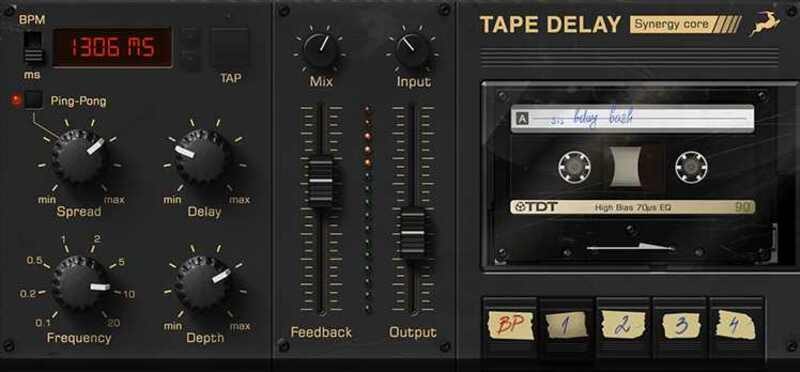


Antelope Tape Delay
Artikkelnummer 1098190Software Plugin - Tape Delay
Runs natively in your DAW on macOS or Windows.
Classic tape echo with authentic warmth, expanded for today’s creative workflows.
Tape Delay delivers the unmistakable sound of analog tape delay—with all the warble, saturation, and depth that define vintage echo hardware—enhanced with intuitive digital features for precise tempo control, stereo imaging, and tonal variety.
Authentic Tape Delay Character
Recreates the lush, saturated sound of vintage tape echo, complete with subtle pitch modulation, saturation, and analog-style imperfections that add warmth and depth.
Flexible Time Control
Delay time can be set in BPM or milliseconds for precise syncing with your project. Use the Tap Tempo button for quick, hands-on adjustment without needing to enter values manually.
Ping-Pong Mode with Stereo Spread
Activate Ping-Pong mode for rhythmic echoes that alternate between left and right. The Spread control lets you adjust the stereo width for subtle movement or wide, immersive delay effects.
4 Selectable Tape Types
Choose from four unique tape flavors—each with its own saturation, tone, and texture—to fine-tune the character of the delay and shape how your repeats sit in the mix.
Modern UI, Analog Soul
A clean, responsive interface with vintage-inspired visuals makes it easy to dial in inspiring delay effects fast—whether you’re after tight rhythmic slaps or expansive ambient tails.
Tape Delay is part of the Antelope Cosmos plugin collection.
Native Plugins
Mac:
Apple Mac 2015 or newer, with Intel or Apple Silicon processor
Minimum: Mac OS X 10.14 Mojave (Recommended 11 Big Sur or higher)
Memory (RAM): 8 GB minimum (16 GB or more recommended)
Windows:
Windows 10/11 (64-bit) with latest Microsoft Updates
Memory (RAM): 8 GB minimum (16 GB or more recommended)
CPU: Minimum Intel Core i3™ or AMD Ryzen 1000 (Higher recommended)
Additional:
Stable internet connection is required to download and authorise the plugins.
A free iLok account is required, with iLok Cloud or iLok USB (2nd gen or higher)
*A physical iLok dongle is NOT required to activate this product
Relaterte produkter
-

Slate Digital Stellar Echo SD-201
Artikkelnummer 1093619Kr 1769/stkKjøpe -
Antelope Memory Cat Brigade
Artikkelnummer 1098203Kr 1625/stkKjøpe -

Yum Audio LoFi Playtime
Artikkelnummer 1094312Kr 1176/stkKjøpe -
AIR Tape Echo
Artikkelnummer 1097982Kr 1175/stkKjøpe -
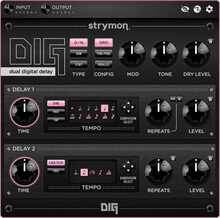
Strymon DIG Plugin
Artikkelnummer 1086758Kr 974/stkKjøpe -
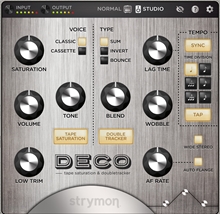
Strymon Deco Plugin
Artikkelnummer 1081965Kr 938/stkKjøpe -
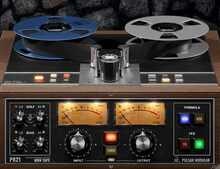
Pulsar Modular P821 MDN Tape
Artikkelnummer 1093432Kr 1587/stkKjøpe -
Antelope NEU-PEV
Artikkelnummer 1098200Kr 1625/stkKjøpe
Produkter kjøpt sammen med
-
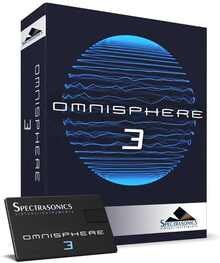
Spectrasonics Omnisphere 3
Artikkelnummer 1018899Kr 3580/stkKjøpe -
Fabfilter Essentials Bundle
Artikkelnummer 1057477Kr 3899/stkKjøpe -
Toontrack Superior Drummer 3
Artikkelnummer 1053895Kr 3749/stkKjøpe -
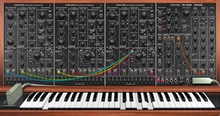
Cherry Audio PS-3300
Artikkelnummer 1082530Kr 582/stkKjøpe -
Roland Cloud TR-909
Artikkelnummer 1070694Kr 16744/stkKjøpe -
Spectrasonics Omnisphere V3 from V1-2 Upgrade
Artikkelnummer 1045666Kr 1853/stkKjøpe -
Softube Flow® Studio
Artikkelnummer 1096674Kr 3999/stkKjøpe -

SSL X-Gate
Artikkelnummer 1078434Kr 584/stkKr 181/stkKjøpe